How it works
Three steps, then it runs itself
You make a deck once. After that the scheduler decides what you see and when, and all you do is show up for a few minutes.
- 1
Fill a deck in seconds
Paste your notes and let Quacky draft the cards. Snap a photo of a printed page. Bring a deck over from Anki. Or write them yourself — it’s fast either way.
- 2
Study in short bursts
Read the question, flip, say how it went. That’s the entire loop, built to be run a hundred times between classes without friction.
- 3
Let FSRS pick the timing
Each card comes back just before you’d have forgotten it. Nothing you already know wastes your afternoon.
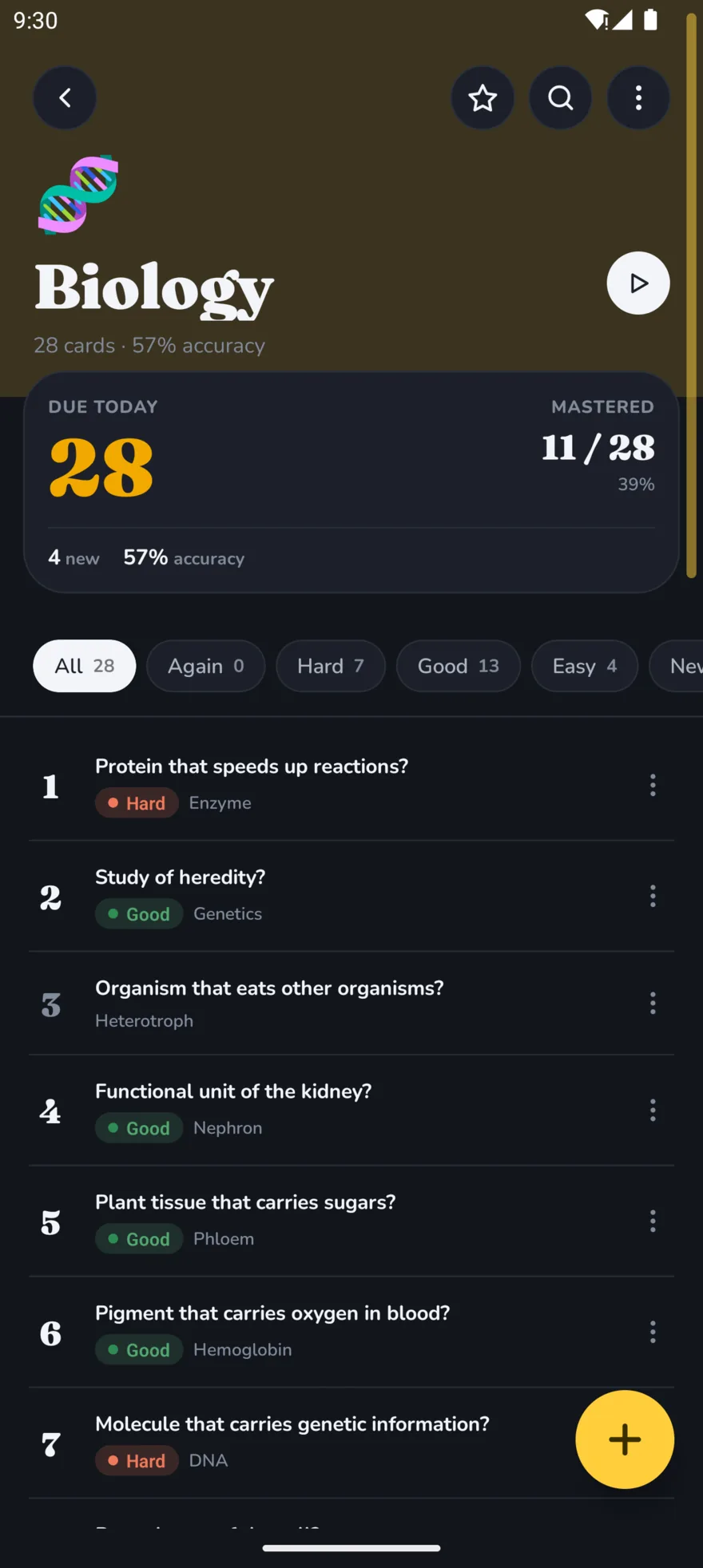
Biology
28 cards
Psychology
18 cards
Calculus
20 cards
World History
22 cards
Spanish Vocab
30 cards
AI that helps
Let Quacky do the boring part
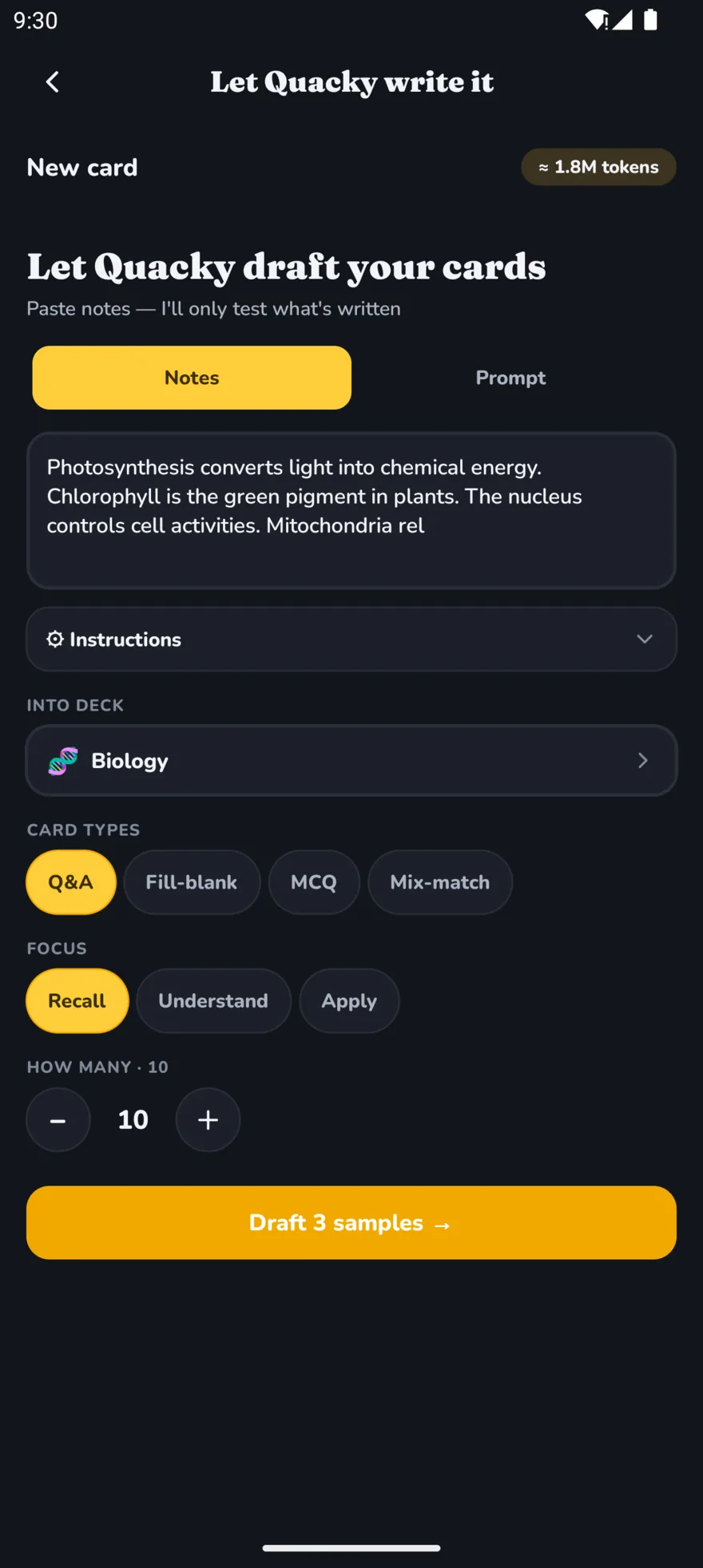
Typing out a hundred cards is the reason most decks never get finished. Hand that over and keep the part that actually teaches you something.
- Generate from pasted notes, a one-line prompt, or a document you drop in.
- You approve every card before it saves — nothing lands in a deck unreviewed.
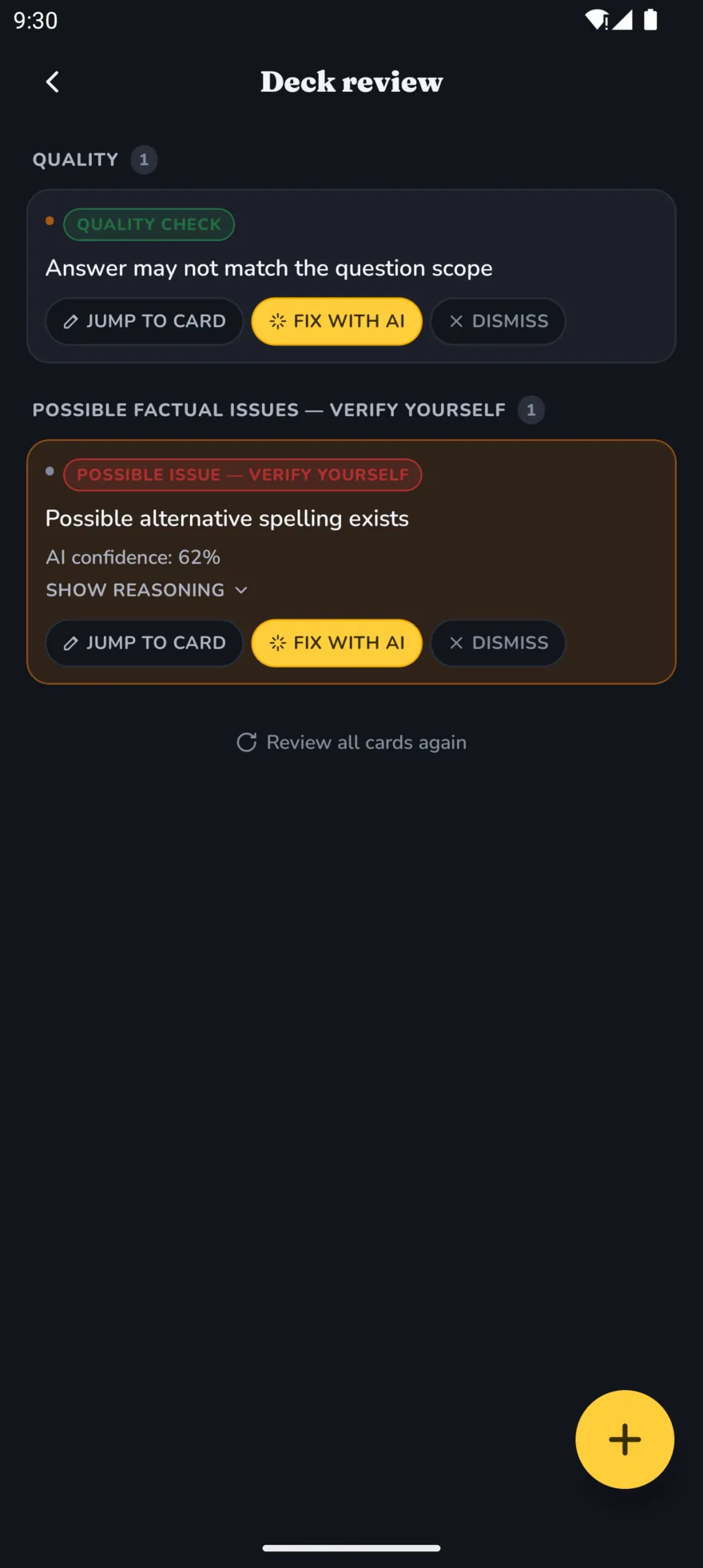
- Deck Review reads a deck you already have and flags duplicates, ambiguous wording and likely mistakes.
- It picks up your taste per deck, so the cards you keep shape the ones it writes next.
Card types
More than plain index cards
Six ways to ask a question, because a language deck and an organic chemistry deck have nothing in common.
Question & answer
The classic. Rich text, so bold and lists survive.
Cloze
Blank out a word and recall it in context.
Image
Diagrams, slides, anatomy — anything you’d point at.
Audio
Pronunciation and listening drills.
Mix & match
Pair terms to definitions; mistakes feed the scheduler.
Math & chemistry
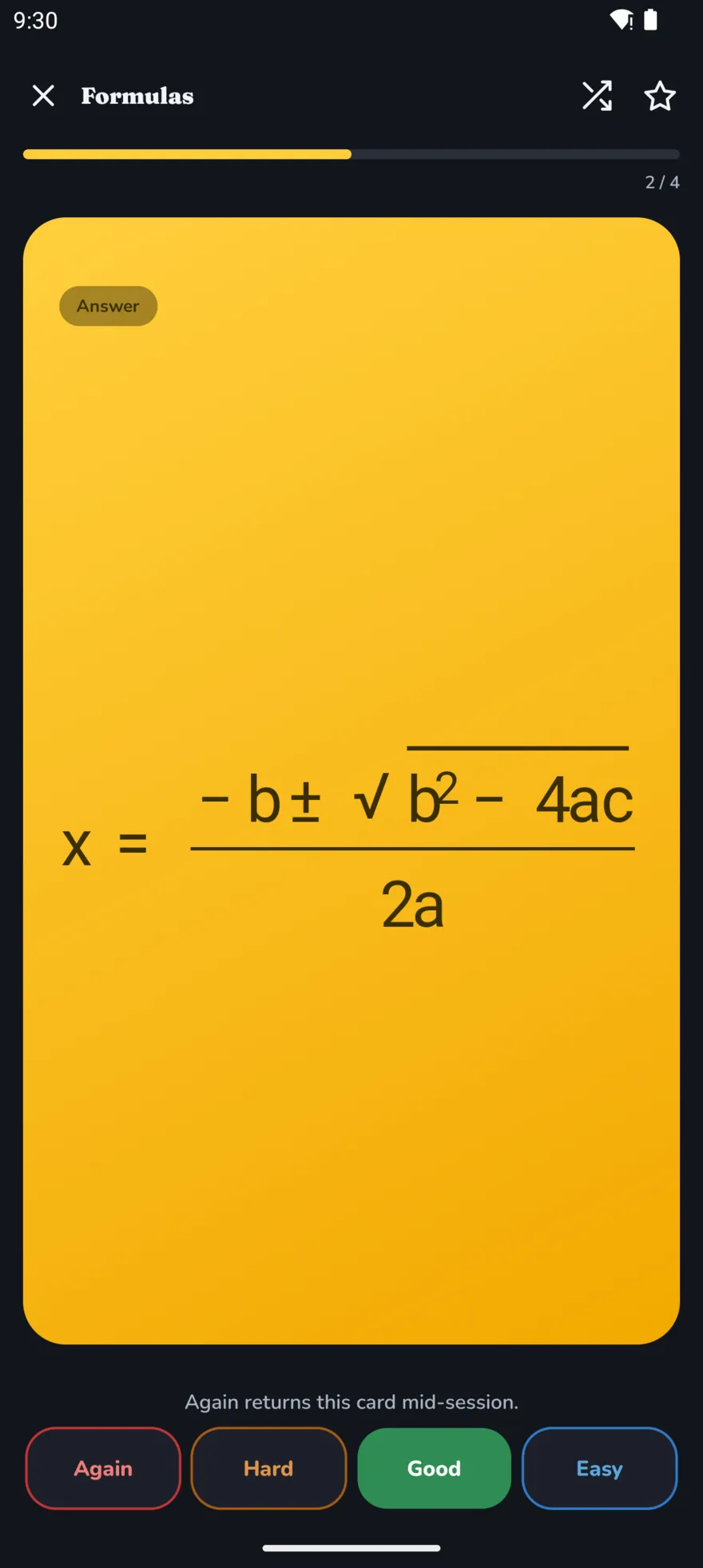
LaTeX and mhchem render properly, not as raw markup.
Got printed notes? Point your camera at the page and QuackDeck reads the text off it.
Switching from Anki
Bring the whole collection with you
Drop in an .apkg or .colpkg and the decks you’ve spent years building are just there. No re-typing, no starting over, no cleaning up afterwards.
- Cards, images and audio all come across, not just the text.
- Re-importing the same deck merges it — dedupe is keyed on the original Anki card, so you never end up with two of everything.
- Cloze and multi-template notes stay intact instead of being flattened into one card.
- An optional tidy-up pass strips the leftover styling shared decks tend to arrive wrapped in.
Staying with it
The hard part isn’t learning. It’s coming back tomorrow.
So the app is built around short visits: a widget on your home screen, reminders that only fire when something is genuinely due, and a look you picked yourself.
Streaks that mean something
Reminders fire when cards are actually due — not on a schedule you’ll learn to ignore.
Home-screen widget
Clear a few due cards straight from your home screen without opening the app.
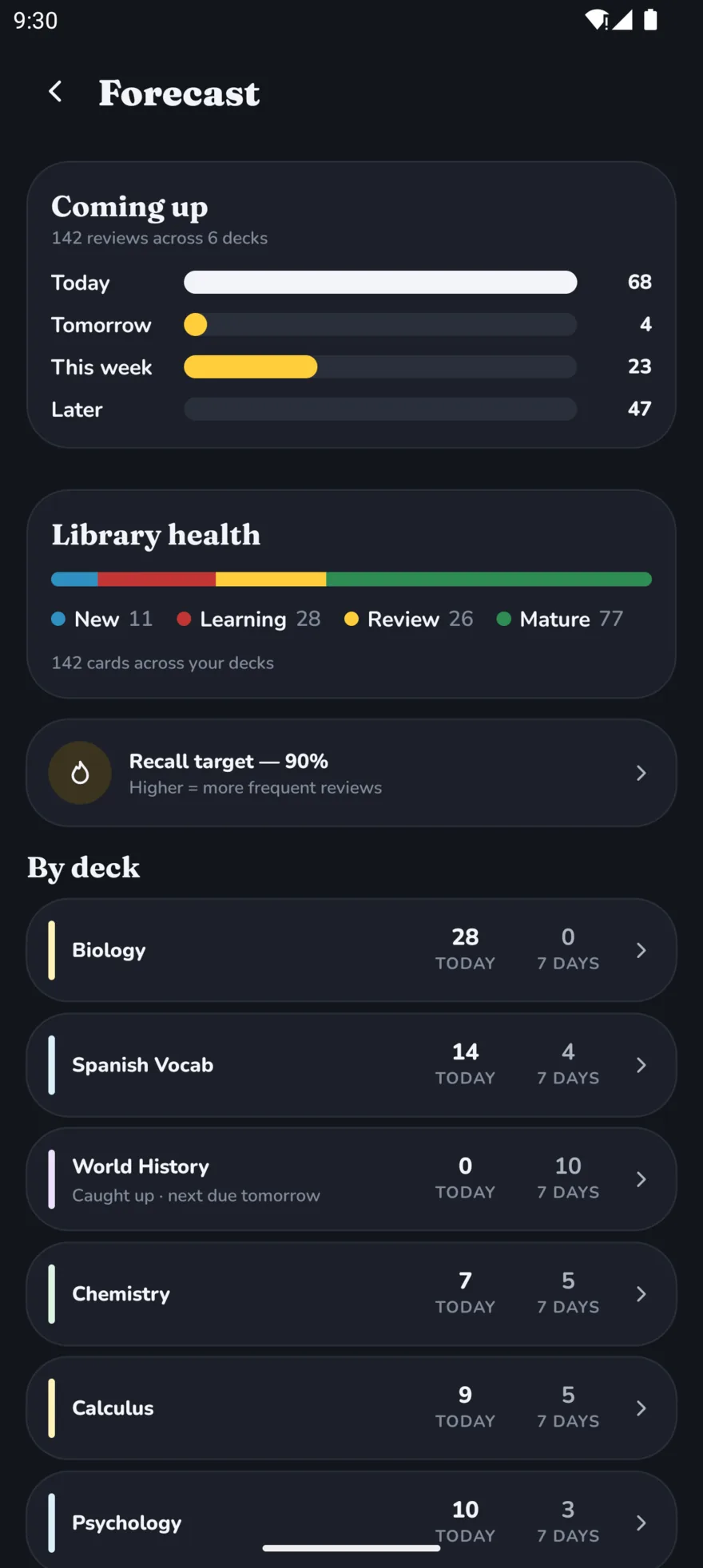
See what’s coming
The forecast shows your workload for the days ahead, so exam week stops being a surprise.
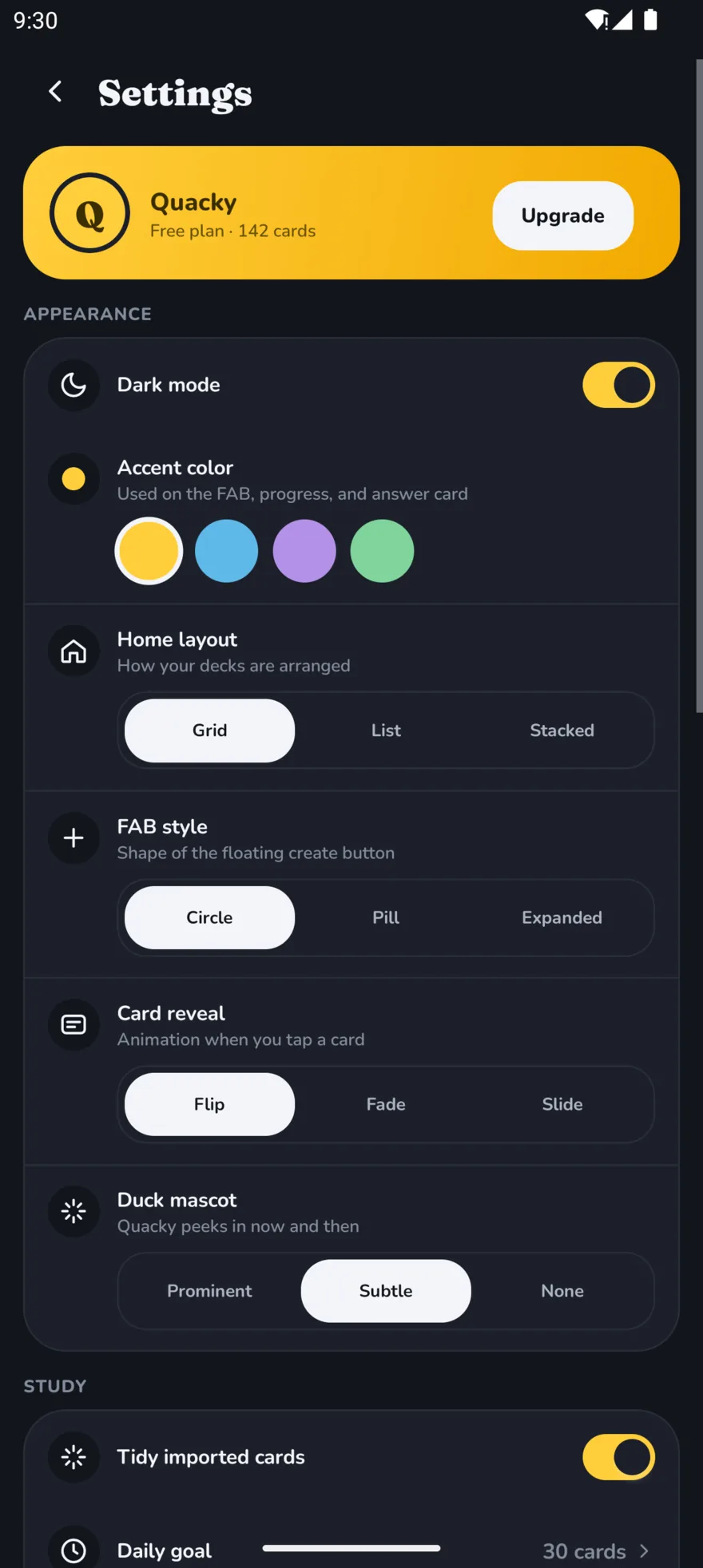
Four accents, light and dark
Yellow, blue, purple or green. Pick the one you’ll actually want to open.
- Pick an accentYellowBluePurpleGreenthen light or dark. Eight combinations, all of them yours.
Pricing
Free is genuinely free
Not a trial, not a card limit, not a nag screen. The scheduler, the importer and every card type cost nothing. Pro is for people who want it on two devices.
Free
Ad-supported. No account required.
- Unlimited decks and cards
- FSRS scheduling on every deck
- Anki .apkg and .colpkg import
- Every card type, including math
- Works fully offline
- Widget, streaks and themes
Pro
Everything in Free, plus:
- Cloud sync across your devices
- A monthly pool of AI tokens
- Study Groups and leaderboards
- No ads, anywhere
Priced in your own currency — open the app to see the exact figure.
Questions
The things people ask first
Is QuackDeck free?
Yes. Making decks, studying, FSRS scheduling and Anki import cost nothing and aren’t trial-limited. The free tier is ad-supported; Pro removes the ads and adds cloud sync, Study Groups and a monthly pool of AI tokens.
Do I need an account?
No. Install it and start making cards — no email, no sign-up wall. An account only starts to matter when you want the same decks on a second device.
Does it work offline?
Completely. Your decks live on your device, so studying never waits on a connection. If you’re on Pro, sync catches up whenever you’re back online.
Can I bring my Anki decks over?
Yes — .apkg and .colpkg files, with images and audio included. Importing the same deck twice merges it rather than duplicating every card, so you can re-import safely.
What is FSRS?
The Free Spaced Repetition Scheduler. It models how your memory of each individual card fades and schedules the review for just before you’d forget it. It’s what Anki power-users switch their collections to, and in QuackDeck it’s the default for every deck.
What happens to my data?
Decks stay on your device unless you turn on sync. We don’t sell your data. The privacy policy spells out exactly what’s stored and how to delete your account.
Still wondering something? Read the privacy policy or email us — we answer.
Make your first deck tonight
It takes about two minutes, and you can bring your Anki decks with you. Quacky’s waiting.
Get it on Google PlayAndroid today · iOS coming soon